Poiyomi Shaders 10.0 out now!

After several months of testing and development, we are very excited to welcome Poiyomi Shaders 10.0, our biggest update since the first ever release of Poiyomi Shaders! 10.0 marks a brand new chapter in our overall development cycle.
We have so much to talk about! There's a lot of new features, added improvements to the overall experience in Unity, and a wide assortment of bug fixes. Watch the video attached below to listen in and see all the changes we have made. Otherwise, refer to our Official Changelog for the most detailed list of changes you can expect to see (although it's a VERY LONG post!).
As of this release, versions 7.3, 8.0, 8.1, 9.0, 9.1, and 9.2 have been officially deprecated and no longer exist in this release! This was done to cut down on file size. If you are still using any of these versions mentioned above, PLEASE UPGRADE NOW!!!
Our improved translation utilities have been updated to make this transition as seamless as possible. Any materials detected to use an older version will prompt you to translate them to 9.3. This allows you to choose when to translate your materials to 10.0 at your own convenience.
Be advised, our translation pipeline heavily relies on serialized material GUIDs. For this reason, please ensure you are up-to-date to 9.3. Additionally, make a back up of your materials!
A whole UI overhaul!
The whole UI has received a broad modernized refresh across all sections of the shader.=
Immediately, you will see more compact areas, heavily reduced white spacing, better DPI scaling on headers, and many new decorative elements.
Every single section across the shader have been reorganized to fit the new UI changes. If you don't see a feature that you saw before, don't worry! Material properties remain the same, with only UI-facing changes in it's labeling and it's organization in the UI.
Most notably, some features that come from LilToon now closely match their UI, such as Backlight and Lil Reflections.
You will also see more Helpboxes across the UI. We have began using these in areas that are appropriate. For example, if you attempt to use Back Face feature, it will now warn you if you forget to turn off Culling, which is required for that feature to function.
Additionally, in some sections where the effect needs a Depth Buffer, you will see a new Prefab spawner button that will add the required DepthGet Prefab into the Scene for the shader effect to work.
Upgrade & Translation Pipeline
We have some exciting news to share regarding the process of upgrading to 10.0!
To start, we have overhauled our scripting pipelines to account for both previous and legacy versions of Poiyomi. This means the process of upgrading from 9.3 (or an even older version) straight to 10.0 can be done with minimal to no visual differences!
You have 3 different ways to upgrade your materials...
- Use our new Material Upgrade Utility (Recommended). This allows you to do a mass-upgrade of materials on your Avatar to the latest 10.0 version, running each material through our translation pipeline, all at once!
- Right-Click on a Material as before, and click
Poiyomi -> Materials -> Update Poiyomi Shaders. - Or just swap the shader from the dropdown! Translations now run automatically when moving from an older version to a newer version. If you don't like it, you can turn it off by toggling
Poi -> Auto-Translate Materials On Shader Changein the menu bar.
Alongside this, I have been working to account for a variety of configurations. I may not cover all setups, but the baseline is there to help you have a smooth transition. This means if you happen to have had a serialized material (or locked one) that's on a much older version like 8.0, we have added parameters to make sure those are translated smoothly as well. This does have a limitation, however! It relies on GUIDs and original shader name references. So if you want to make sure you are good and damn ready to upgrade, please consider updating your materials to 9.3 first!
Grab Pass received a large overhaul in this update to make way for the Pro-exclusive Lava Lamp feature, which will be detailed here and in the Changelog. Due to the changes received, much of your appearance settings will not translate accurately.
For this reason, we highly recommend you back up your Grab Pass materials before jumping to 10.0!
Lastly, I've also added more translation parameters for our LilToon pipeline as well. Switching from LilToon 2.3 to Poiyomi 10.0 should be much smoother now!
New APIs
To compliment our newly overhauled translation pipeline, we have added new developer-accessible API endpoints to the C# namespace Poi.Tools.ShaderTranslator.VersionUpgrade to allow developers to use our upgrade pipelines to how they see fit. For more information on how to use these APIs, refer to our Upgrading Documentation.
New Features
Theres a TON of changes in this release! I won't be able to cover all of them here as the changes are just that gigantic. So, I'll cover some of the headlining features you'll notice right away.
- Dissolve has been rewritten with new features, including a full UI overhaul, more advanced configuration options, and a wide arrangement of new effects are now possible.
- Use
Alpha Onlyto ignore the Alpha, used for dissolving only the Alpha, our most common usage case. Edgenow supports a gradient of two colors.Wave Modeallows the effect to dissolve in a wavy pattern.- Added support for outputting the Dissolve effect to a Global Mask
- And added vertex manipulation with the Dissolve.
- Use
- We've added
ChromatizeandTintto Color Adjust to change the intensity of the color's reproduction and quality on how the perceived hue can be affected. - OKLab was added to Global Themes, with backwards-compatible legacy values.
- Each Decal now has their own independent set of Color Adjust settings.
- Added a Flashing blinking pattern to Emissions.
- Exposed Alpha to Emissions, which means Alpha can now control the intensity.
- Added
Highlightto Outlines, including Audio Link support for it.- This is the exact same function found in LilToon.
- Outlines now coincide with our modern Color Adjust framework, with backwards-compatible legacy values.
- You can now set RGBA Color Masking, Decals, and Matcaps to show on Outlines if you want. Enable via a new toggle
Show on Outlines, located in their respective sections. - In AL Spectrum, we've added new appearance options including UV mirroring, bilateral mode, band range, and improved positioning controls.
- We've added support for VRC Light Volumes 3.0, and placed Intensity, Shadow, and Normal Bias configuration for Light Volumes within the Light Data module for finer control.
- We've added Skin, a new experimental LUT coloring module allowing users to apply Skin coloring to the Base Color.
- Added Bent Normals, which allow specular occlusion and indirect diffuse to affect your appearance.
- Added Light Falloff an Attenuation curves to compensate for brightness at a distance.
- Added a Normal Map 2.
- Why? Because we found most people don't know that Details can act as a second Normal Map. So, here you go. Enjoy.
- Added Global UV Configuration, which allows you to share consistent UV configuration across all modules.
- Video Effects can now affect Decals and have Global Masking support. Enabled by turning on
Apply Video Effectsin Decals. - Grab Pass now allows masking, color ramp effects, pixelation effect, bounding circle blur, precomputed Gaussian kernel, and output clamping.
- Stylized Specular had it's Lil Reflections mode reworked and now supports Tiling, Offset, Panning and UV adjustments.
- LilFur now supports ALL modules in Poiyomi Shaders, including Emission, Proximity Color, UV Tile Discard, Audio Link, Dissolve, and more!
- To add to this, LilFur UVs are no longer tied to the main UVs and can be assigned per-texture UV.
- We've also added a Wind Effect, which is kinda neat!
- We now support VRChat's Shader Globals for time-synced animations, on by default.
- Constellation now supports random colors, improved star movement speed, and better Audio Link controls.
- Proximity Color can now override Emission, check it's influence on the Alpha, and more.
- We overhauled Glitter with new randomized rotation direction, sprite sheet support, and linear controls.
- Internal Parallax now supports Global Masks, distance falloff, pan offset, and now behaves more like Decals.
- Matcaps can now act as a fallback cubemap by using the
Reflection Fallbacktoggle. - Backlight now supports Global Masking.
- And added support for Unity 6, ready for whenever VRChat is ready to unleash their SDK for Unity 6.
New Features in Pro-only Versions
Many of these have already been seen by our Patreon subscribers, but we might as well notate them here as a refresher for our Poiyomi Pro subscribers! If you want to try these effects out for yourself, subscribe to use via Patreon here: patreon.com/c/poiyomi
- Added Contact Shadows, a screen-space shadowing system.
- Added Lava Lamp to Grab Pass, a really cool raymarching effect that simulates the physics of a real Lava Lamp.
- Added Squish, a Vertex-based deformation effect with falloff, color gradient mixing, masking, and supports SPS Sockets.
- Added Triplanar Projection shader, enabling the ability to use world-space triplanar texturing with edge fading, distance fading, depth clipping, self-mapping, and exposed depth sampling accuracy.
- Added Self Grab, an experimental Grab Pass effect that uses an outline-like effect to affect Grab Pass onto one's self.
Lighting
Poiyomi 10.0 has introduced a ginormous amount of lighting changes. There's a lot of technical details that I won't mention as most folks watching this may not understand what I'm talking about, so I'll refer to the exact details in the changelogs.
Regardless, many of these changes you will not notice for the most part. So if anything, you will barely see a difference.
However, let's talk about some obvious details you will see!
- We have decided to rename
Shading > ShadingintoShading > Shadowsto avoid confusion. And to be honest, it makes sense! We will now be referring "Shading" as to "Shadows" for the entirety of this post, so pay attention! - Realistic Shadows mode now has a Shadow Strength slider since it didn't have one. Additionally, Realistic now finally uses Unity's dielectrics for the default BRDF.
- Multilayer Math now uses the main shadow as the main attenuation, with each layer using it's own attenuation. This means the shadows are made to be more subtle.
- Cloth now uses precalculated indirect color.
- We have adjusted the
Min Brightnessbehavior with a noise floor and a new minimum light cap. - The Max Light count has been lowered, fixing the light loop break as a result.
- And turning off Shadows no longer breaks modules that don't use the lighting loop.
Modular Shader System
Shader developers, this one's for you!
We are excited to announce that the Modular Shader System, the system that we have used to build Poiyomi Shaders since 8.0, is now fully available to the public! With this, you can now easily install your own modules within the shader using our toolset.
By default, we expose only the Free features in the official public release, while the Pro-only features remain locked away in the Pro-only release.
To learn more about how to develop Modular Shader templates, refer to our documentation here.
Changes & Fixes
Over the course of developing 10.0, it was an opportunity for us to address some long-standing issues and squash as many bugs as possible. These are just some of the bug fixes you will be happy to hear about (see more in the full changelog).
- Emission Theme Color now replaces the Emission Color instead of multiplying it. Emission Color also tints into the Theme Color.
- Matcaps now default to
Replaceblend mode. - Matcap
Bordernow defaults to0.5.- If using
Double Sidedmode, set theBorderto0.43for the intended appearance.
- If using
- Multilayer Math default settings are now updated to match LilToon 2.3.
- Decals are now rendered before Matcaps.
- Grab Pass functions are now moved to render in front of Decals and Matcaps.
- Hue Shift moved after saturation in Global Themes.
- Default Fur Noise no longer generates mipmaps (otherwise, fur was losing detail at a distance). Smoother fur LOD.
- LilFur default noise textures corrected to use
Linearinstead ofsRGB, matching LilToon's upstream repository. - AO is now applied to the main light and Occlusion is applied to the indirect color.
- Fixed Latex Matcaps having JPEG artifacts.
- Latex lovers, rejoice!
- All included textures using Mipmapping now set to use Kaiser filtering, fully supporting VRChat's DPID filtering algorithm.
- "lilToon" or "lil toon" is now referred as to "LilToon" for general professional appearance in references areas in the UI.
- Fixed
dynamic_branchfog and variant strippers in Unity 2022.3. - Fixed
vertexSH, UIElements fixed,ui:changed touie:,ifdefguards for LOD crossfade. - Fixed
.NETAPI compatibility and replaced deprecated/obsolete editor methods. - Fixed Unity's corruption of namespaces in various scripts.
- Fixed Panosphere UV stereo offset.
MonoPanoProjectionhad an eye-dependent Y offset that was being scaled by texture tiling, producing different visual positions per eye with any tiling (especially on Decals, Main Texture, etc.). Mono mode now returns identical UVs for both eyes.StereoPanoProjectionkeeps eye-dependent behavior for real over-under stereo content.
- Fixed Panosphere perspective-correct.
- Fixed camera position inside mirrors.
- Fixed LilFur visibility bugs in the Mirror/Camera module.
- Fixed lots of stereo rendering, mirror, and VR-related issues.
- The Shader Optimizer now wipes out orphaned textures, saving greatly on VRAM.
- Fixed locking on several modules over the course of development.
- Subsurface Scattering now behaves the same when locked.
- Fixed Min Brightness ringing on indirect color.
- Fixed some lighting mistakes on Realistic Shadows mode.
- Fixed add lights double-counting attenuation and add light shadows no longer skipped.
- Fixed spot light support, light clipping, double-add on point/spot lights, and add light contribution in Subsurface Scattering.
- Fixed ordering of Matcap, Rim Lighting, Depth Rim Lighting, and Cubemap.
- Fixed Environment Reflection issues while Rim Lighting was enabled.
- Fixed unassigned referenced Metallic map and fixed texture sampling calling the wrong function in Cloth shadows mode.
- Fixed Theme Color in AL Spectrum double-multiplying and blend types using
Range(0, 1)instead ofInt. - Fixed Global Themes causing potential NaN at high Saturation and Brightness values.
- As a side effect, there may be some limits added to prevent over-exposure issues (which look bad on cameras).
- Fixed Decal 3 having an extra Z field even though it's unused.
- Fixed mixing Metallics with other modules, as well as masks, anisotropy, and undeclared identifier / redefinition errors fixed.
- Fixed Lil Reflections in Stylized Specular not rendering correctly.
- Post Processing now works with Emission and Decals, and with the Add Pass and LilFur.
- Fixed Render Queues not transferring when upgrading/translating materials.
- Fixed some Z-fighting issues when exposed to projection shaders.
- There are only mitigations to prevent it from happing. If you still see it occurring, please let us know!
- Fixed Ignore Fog function.
- Fixed Global Mask label indentation, text alignment, and animated property marker vertical alignment.
- Fixed a LilToon translator write-priming bug causing every write to be primed with a throwaway value first due to a StringComparison bug.
- Fixed Decal enum mis-mappings in LilToon's translation, and
&&guard replaced with||guard on HSVG in Outlines. Some corrections from LilToon's sneaky UI tricks. - Fixed an issue where cross-edition (
Toon <-> Pro) upgrades got borked. - Legacy Material Detection and translation scripts improved twice, now using
Poi.Tools.ShaderTranslator.VersionUpgradeAPIs. - Fixed Rim Lighting translation issues from 9.3 to 10.0.
- Default
ShaderDestinationsupdated for 10.0. - Fixed various Decal Positioning Raycaster functionality issues.
- Fixed Grab Pass preset dropdown being drawn without a label.
- Fixed GIF support by merging without a
System.Drawingdependency. - Fixed Receive Casted Shadows not being set to
1on PBR presets. - And an assortment of typos and spelling fixes!
ThryEditor
Our most advanced material inspector interface, ThryEditor, has received a huge amount of updates.
To start off, we have forked it!
What does this mean? Well, basically, we now maintain ThryEditor on our own and many changes are way ahead of the original repository. From this point on, we now will be using poiyomi/ThryEditor on GitHub, instead of Thryrallo/ThryEditor. Because ThryEditor was graciously licensed under MIT, that has allowed us to maintain it on our own and be able to make changes quickly and effectively.
Additionally, ThryEditor will now be supplied as a VCC Package! This is already included in our main Poiyomi Shaders repository and will be auto-installed via VPM when installing 10.0 for the first time. By doing so, we can quickly fix editor-related issues without having to update the whole shader package anymore. This change does not affect the Poiyomi Pro version or .unitypackage versions.
Not only that, but having ThryEditor as a VCC Package will allow other Shader Developers to use it without having to install Poiyomi Shaders at the same time, if they wish to use it.
Alongside that, a lot of New Features have been added to ThryEditor, such as...
- Global Linking, our replacement to Material Linking. Follows the same principles as Material Linking, but now linked together as a global json value, making it easier to quickly link up materials together without relying on one material as a source of truth.
- Blueprints, allowing users to generate materials with a pre-determined set of Presets applied. Useful for creators who want things done quickly.
- Refreshed the Material Lock Manager with a new toolbar for Grouping and Filtering results straight from the UI.
- Added a
Clearbutton for inline RGBA packers. - Added a "dot" indicator on Headers, which will indicate if properties contained are tagged as
AorRA. - Many new properties, sliders, and decorators for the shader UI such as Headers, Descriptors, improved Helpboxes, and many more surprises!
Additionally, our Shader Optimizer system now sorts Locked Shader files into Assets/_LockedShaderCache. This allows us to cache compiled variants and ensure locked samplers can be shared across materials where possible. As a side effect, Unlocking no longer deletes cache-resident shaders, making Unlocking twice as fast than before.
We've also Fixed the following issues...
- Fixed VRCFallback tags not being carried over on upgraded materials.
- Fixed handling of Rendering Presets.
- Fixed some headers unable to be marked as animated.
- Fixed an issue where the list and GUI are computed every frame in the Material Lock Manager. It is now computed one per rebuild, saving greatly on CPU.
- Fixed an issue where script compiling triggered a full project re-scan in the Material Lock Manager.
- Fixed Inspector Rebuild occurring often in some usage scenarios, especially during Lock/Unlock.
- Fixed multiple ShaderProperty name collision bugs.
- The
GuessShaderlevenshtein sweep no longer run constantly and is only executed when absolutely needed. - Fixed a NullReferenceException on the Render Queue property when Right-Clicked.
- Fixed a nasty null element found when running
PropertyValueAction, which mainly affected legacy shaders. - Fixed some GUI issues if for some reason Thry Editor is being used on very... very old legacy shaders (what are you doing?).
- Fixed an old regression causing Render Queues to show incorrect readings on custom values.
- And replaced some dead URLs from prompts and menu items with up-to-date ones.
Removed
In case you didn't see the bright red warning above, I'll show it to you again here...
As of this release, versions 7.3, 8.0, 8.1, 9.0, 9.1, and 9.2 have been officially deprecated and no longer exist in this release! This was done to cut down on file size. If you are still using any of these versions mentioned above, PLEASE UPGRADE NOW!!!
Our improved translation utilities have been updated to make this transition as seamless as possible. Any materials detected to use an older version will prompt you to translate them to 9.3. This allows you to choose when to translate your materials to 10.0 at your own convenience.
And this is VERY IMPORTANT! When you upgrade to this release, your legacy materials must be translated to 9.3. This is our conservative approach to ensure nothing breaks at first, giving you the choice to translate the material to 10.0 whenever you feel comfortable to do so.
To ensure you have the most minimal amount of issues, please make a backup! While we have systems in place (as mentioned above) to ensure older versions can be translated with the old shader files removed, it only works reliably if the materials were properly serialized with their original GUIDs! In case they weren't serialized, PLEASE make a back up of your materials!
And finally, please be prepared for the following items that have been officially deprecated as of 10.0:
- Removed Raliv DPS integration.
- Removed Shadow Tint from Realistic Shadows (replaced by Shadow Strength).
- Removed unused module collections.
- Removed dead scripts.
Conclusion
That pretty much covers the headlining features. For those tech-savvy creators who want all the spicy details, they are all documented in our changelog. Be advised it's a 25 minute read, hence why I didn't mention everything here. You can find the full changelog here.
A big special thanks to our Patreon subscribers for for helping us iron out all the issues in Poiyomi Pro 10.0 while this was in development. If you want to be the first to try out new and experimental features before anyone else, be sure to subscribe for $10/month on Patreon. No pressure though!
Lastly, a big thanks to our active Discord team members for assisting our users with questions and answers. Y'all rock!
Thank you for reading and I hope you enjoy using Poiyomi Toon 10.0!
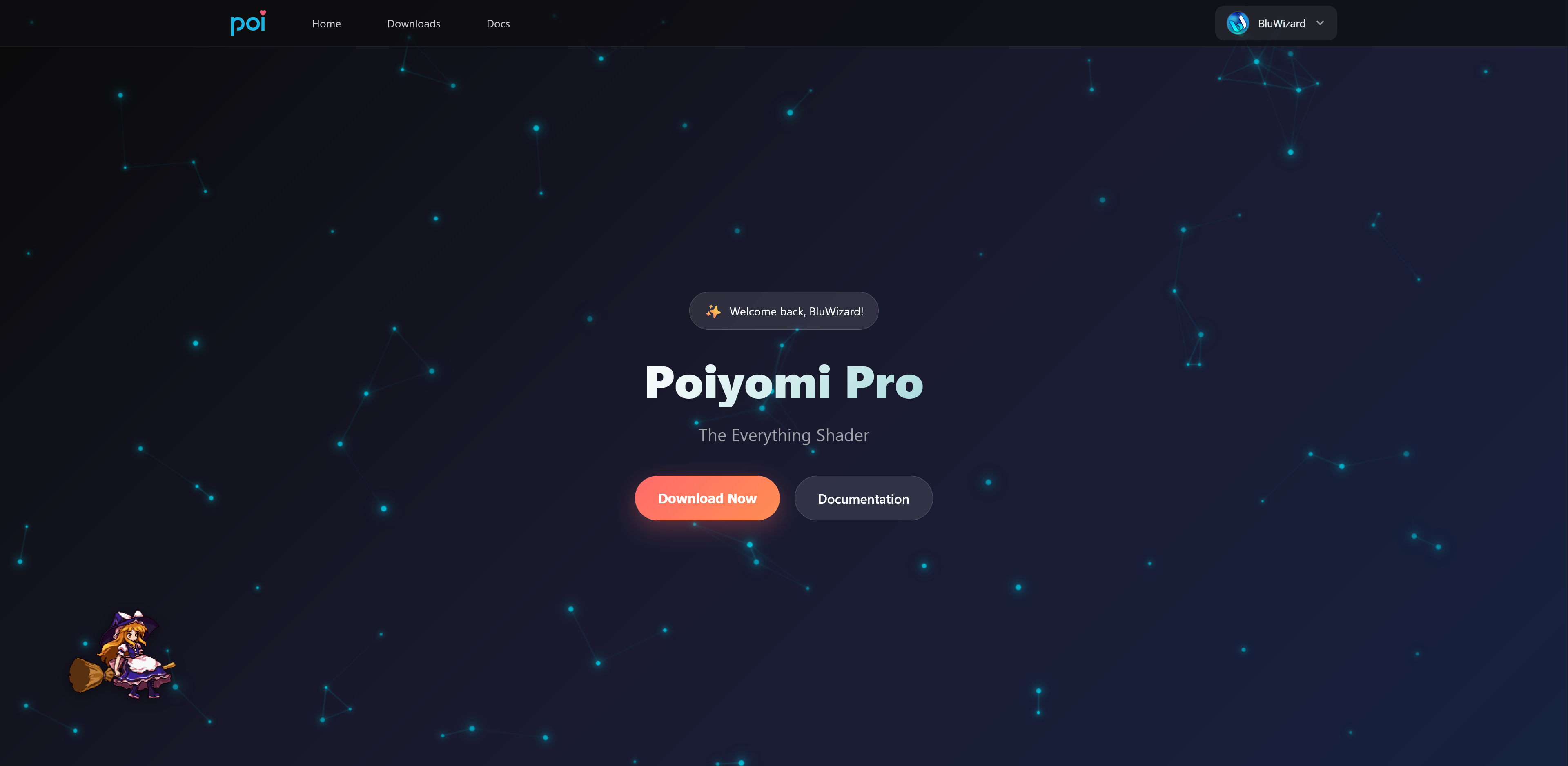 Example preview of the Poiyomi Pro website when logged in. You'll also notice it's accompanied by an animated